
Introduction: Why the Right CRM Can Make or Break Your Sales Performance
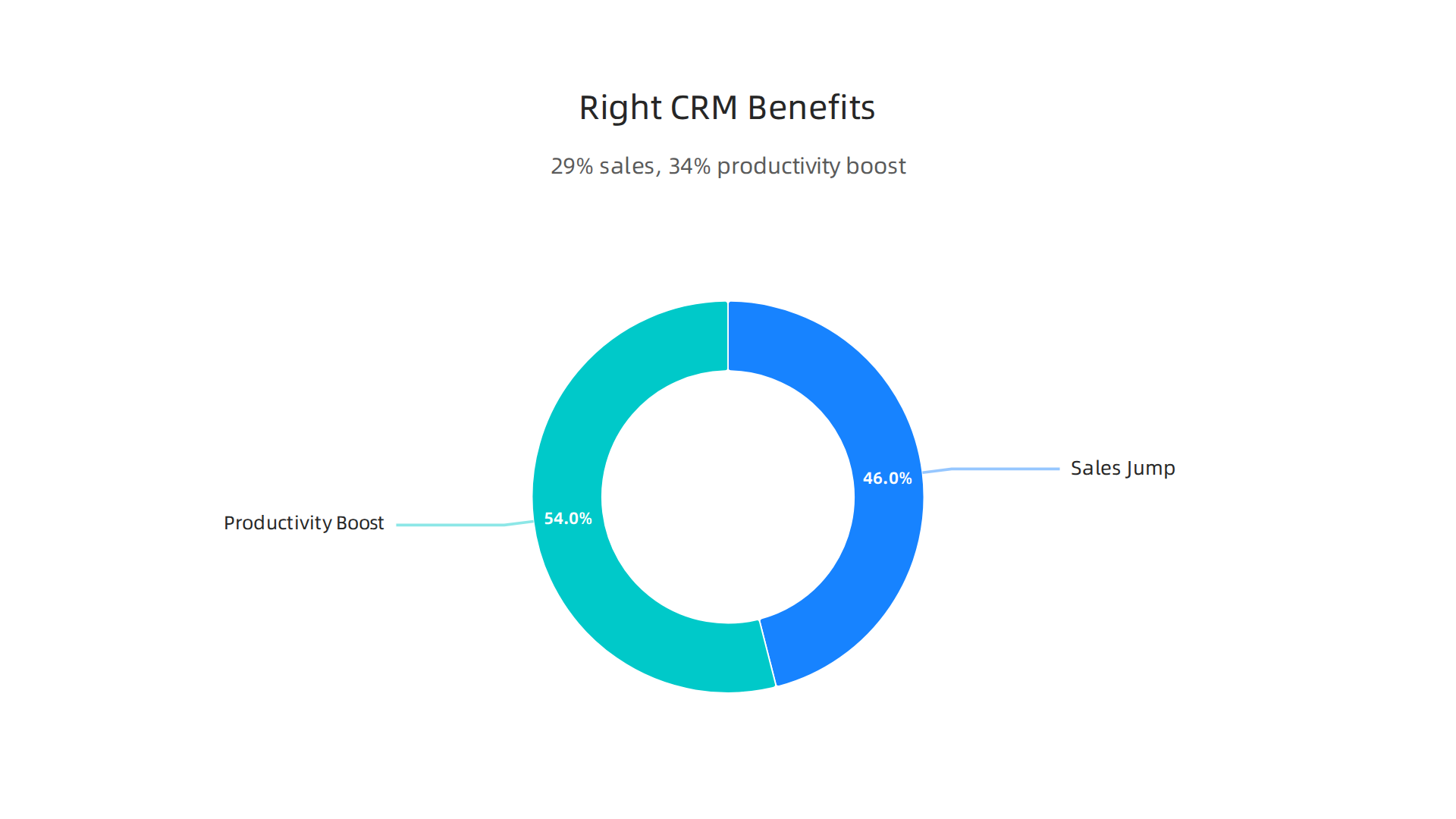
The numbers are hard to ignore. The global CRM market is expected to reach over $334 billion in 2026 (Research and Markets). Companies that use the right system see a 29% jump in sales and a 34% boost in sales productivity (sltcreative).
So picking the right tool is a big deal.

But here is the problem. Thousands of tools claim to be the best. Choosing the wrong one wastes your time. It leads to messy data. And it can cause you to lose deals instead of closing them. Sound familiar?
That is why we put this guide together. We looked past the marketing fluff to find the top 10 crm software platforms that actually help sales professionals. We focused on what really matters for people like you. Things like ease of use, solid sales automation, clear pipeline visibility, and fair pricing. This list works for solo reps, small teams, and career switchers who need real tools that deliver real results.
We also made sure to highlight platforms that offer more than just a place to store contacts. True efficiency comes from having lead tracking, reporting, and even customer satisfaction survey software built right in. We included options for all kinds of budgets. Whether you are a startup or a bigger team looking at enterprise tools like SAP CRM, there is something here for you.
Of course, having the best software is only half the battle. You still need sharp skills to close the deal. That is why we suggest pairing your new tech stack with strong leadership coaching for sales professionals. It helps you truly master your process and hit your targets every time.
Let us dive into the best options for 2026.
1. Salesforce Sales Cloud – The Enterprise Powerhouse with AI-Driven Forecasting
If your team is growing fast and you need serious data power, Salesforce Sales Cloud is the name you hear most.

It handles complex sales processes for mid-to-large teams that need advanced analytics, AI lead scoring, and custom pipelines. In fact, companies using advanced CRM features like these see 27% higher retention rates and 32% improved conversions compared to teams on older systems (TechImplement).
Salesforce comes with Einstein GPT built in. That means it can predict which leads are most likely to close and suggest your next best action. It also has strong automation tools that save you from manual data entry. And the AppExchange marketplace gives you thousands of add-ons to customize almost anything.
But here is the trade-off. Salesforce has a steep learning curve. It takes time to learn all the features. The per-user cost is higher than many other tools. And you really need someone on your team to manage the settings and integrations. That makes it a better fit for organizations with dedicated admin support.
If you already use Salesforce or plan to, you might also benefit from pairing your tech with smart sales processes. For example, learning how to align marketing and sales using Marketing Cloud Salesforce can help your team get consistent results.
So, who is Salesforce for? It is ideal if you have a larger team, a bigger budget, and someone who can handle the setup. But if you are a solo rep or a small team, you might find it too heavy for your daily flow. In the next section, we will look at a simpler alternative that still packs a punch.
2. HubSpot Sales Hub – All-in-One Platform for Growing Teams
If Salesforce felt like too much for your size, HubSpot Sales Hub might be exactly what you need. It is one of the most popular options when people search for top CRM software because it combines sales, marketing, and service tools in one place. That all-in-one design helps small businesses and solopreneurs stay organized without jumping between different apps.
HubSpot’s free tier is a big reason it makes almost every top 10 CRM software list.
You get a solid CRM with contact management, a visual pipeline that shows where each deal stands, and a native meeting scheduler that syncs with your calendar. No extra setup required. For a solo rep or tiny team, this free version alone might be enough to start tracking leads and closing more deals.
The trade-off? Advanced features like workflow automation, custom reporting, and lead scoring only unlock with paid plans. And those costs can rise quickly. According to a 2026 comparison, HubSpot costs about $1,600 per month for 10 users, while a competitor like Zoho runs just $230 for the same number of people (Lovable.dev). That premium pricing means you get a polished user experience that sales reps actually enjoy using (Mo Agency), but you need to watch how fast costs add up as your team grows.
HubSpot works best for teams that want an easy start with room to expand. If you are still deciding between all the options out there, check out our guide on how to choose the best CRM software from the top 10 systems for sales growth in 2026 to compare the full list.
3. Pipedrive – Visual Pipeline Management for Deal‑Centric Salespeople
If you live and breathe your sales pipeline, Pipedrive might feel like it was built just for you. This tool is designed for sales reps and small teams that want a crystal‑clear, drag‑and‑drop way to track every deal from first contact to close.

It is a visual, pipeline‑first CRM that keeps your focus exactly where it belongs: on moving opportunities forward. Pipedrive consistently ranks as one of the most user‑friendly CRMs available, and that ease of use means less time learning the software and more time selling.
The interface lets you customize deal stages in seconds. Just grab a deal card and drag it to the next stage. You also get built‑in email tracking that automatically logs messages and notifies you when a lead opens an email. Pipedrive is especially good if your team uses Microsoft 365, because it integrates smoothly with Outlook and Teams.
But Pipedrive is not perfect for everyone. It focuses almost entirely on pipeline management, so you get limited marketing automation and reporting that does not match what Salesforce or HubSpot offer. If your sales process needs heavy automation or deep analytics, you might outgrow Pipedrive quickly.
Best for: Sales reps and small teams who live by their pipeline and want an intuitive, deal‑focused system.
If you want to move deals faster through your pipeline, learning to handle objections and negotiate effectively makes a huge difference. Check out how to master the art of negotiation to close more deals.
5. Freshsales – AI‑Powered Lead Scoring with Built‑In Phone and Email
If you are a sales professional juggling calls and emails all day, Freshsales can help you stay focused.
It earns a spot on any top crm software list because it combines AI lead scoring with tools you use every minute.
Freddy AI does the hard work for you
Freshsales comes with an AI assistant named Freddy. Freddy scores your contacts based on their engagement signals, profile fit, and activity patterns. Instead of guessing who to call, you see a clear list of which leads are hottest. Studies show this kind of AI lead scoring can lift your conversion rate by 15-25%. You get better results without extra admin work.
Phone and email built right in
Most CRMs make you buy separate tools for calling and email tracking. Freshsales does not. You get a built-in phone dialer and email sync. You can call, email, and log everything without leaving the screen. This is a huge time saver for outbound teams.
The trade-offs
No system is perfect. Freshsales does not connect to as many third-party apps as older tools like Salesforce. Some users also wish the reporting was deeper. If you need a rare integration or very custom reports, check if Freshsales supports it before you buy.
Choosing the right system is a big step. As you compare your options, our guide on how to choose the best CRM software for sales growth can help you match a CRM to your actual workflow.
6. Close – Purpose‑Built for Outbound Sales Teams
Now let us flip the script. While Freshsales leans on AI to score your leads, Close takes a different approach. It was built from the ground up for one thing: outbound sales.
If your day involves high-volume cold calling and email sequences, Close is worth a hard look. This tool is a favorite among entrepreneurs and small teams who live on the phone.
Power dialer and sequences
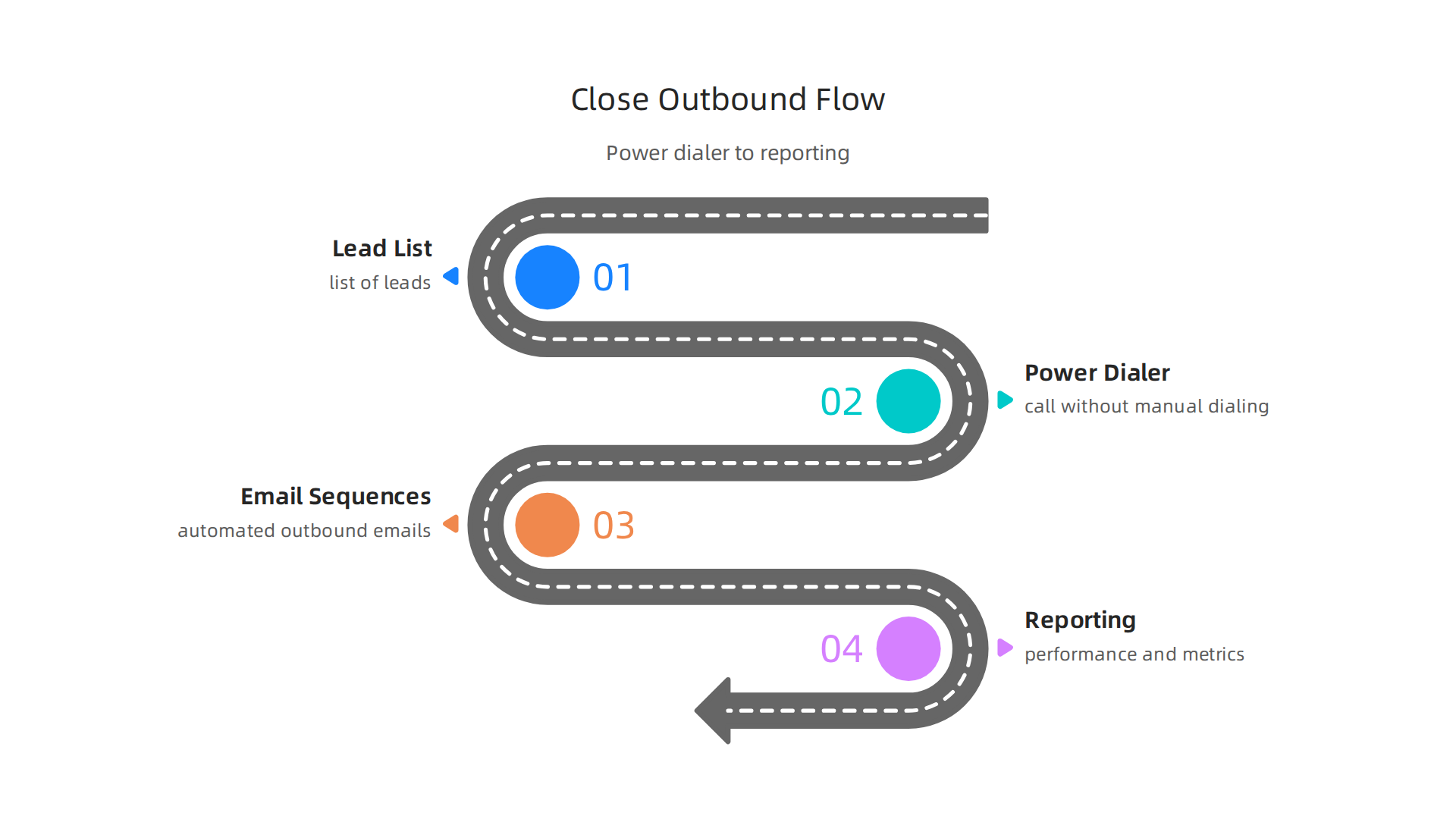
Close comes with a built-in power dialer. That means you can call through a list of leads without manually dialing each number.
When someone picks up, the CRM shows you their history instantly. No fumbling around.
You can also build automated email sequences. Set your follow-up cadence and Close handles the rest. The system logs every call, email, and open automatically. That saves hours of data entry every week.
Built-in reporting for outbound
Unlike general CRMs, Close gives you reports that actually matter for outbound teams. You can see how many calls you made, how many connected, and how many turned into conversations. This kind of data helps you refine your pitch fast.
Where Close falls short
Close is not great for inbound-heavy teams. If most of your leads come through web forms or website visits, you might find the tool feels limited. Also, custom reports take manual work. There is no drag-and-drop report builder here.
Where to go next
If Close sounds like the kind of tool your team needs, but you want to compare it with a pipeline-first option, check out our guide on how to choose the best CRM software for sales growth. It walks you through matching a CRM to your actual sales workflow.
7. Microsoft Dynamics 365 – Deep Integration with Office 365 for Enterprise Sales
While Close is built for outbound hustle, Microsoft Dynamics 365 takes a very different path. It is designed for large organizations that already live inside the Microsoft ecosystem. Think Outlook, Teams, Excel, and Azure. If your company runs on Microsoft tools, Dynamics 365 feels like a natural extension.
Key strengths
The biggest advantage here is seamless integration with Office 365. You can pull emails, calendar events, and customer data from Outlook without switching screens. The Copilot AI assistant helps you draft emails, summarize meeting notes, and even suggest next steps. That saves time for busy sales teams.
Data security is also a top priority. Microsoft invests heavily in compliance and encryption, which matters for industries like finance or healthcare. Businesses using advanced CRM features report 27% higher retention rates, according to a 2026 trend report (source: TechImplement). And the global CRM market is projected to hit $126.17 billion in 2026 (source: Wave Connect), showing just how much companies invest in tools like this.
Trade-offs
But there is a catch. Dynamics 365 comes with a high total cost of ownership. Licensing can get expensive, and you often need consultants to set everything up correctly. For small teams or startups, this tool is overkill. You would pay for features you never use.
Where it fits in the top CRM software list
If your organization has hundreds of users and a dedicated IT team, Dynamics 365 belongs in any discussion of top 10 CRM software. But if you are still building your sales process, you might want to start with something simpler. To see how it compares with other enterprise options, read our full guide on how to choose the best CRM software for sales growth.
8. Copper – CRM Built for Google Workspace Users
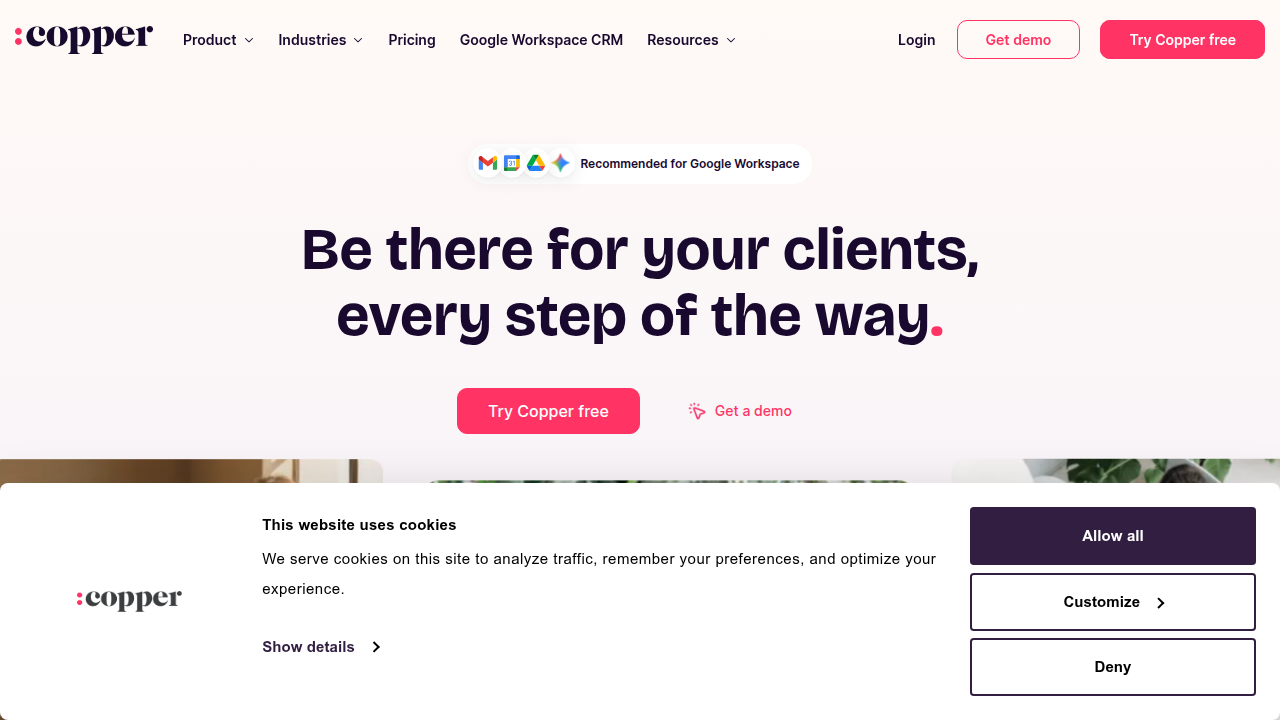
While Dynamics 365 serves large enterprises deep in the Microsoft ecosystem, Copper takes a very different path. It is built specifically for Google Workspace users. This makes it a great fit for remote teams and solopreneurs who live inside Gmail, Google Calendar, and Google Drive.
Key strengths
The deep Gmail integration is the main reason to choose Copper. You can view customer history, log emails, and update deals right inside your inbox. Automatic contact enrichment pulls data from your Google apps, which cuts down on busy work. The pipeline views are simple and visual, making deal tracking easy. For a Google-first team, it feels natural.
Trade-offs
Simple is good, but simple also means limited. Copper does not offer strong automation or deep reporting. Unlike specialized tools like Close CRM, which focus heavily on outbound calling, Copper prioritizes passive relationship tracking. It also lacks the enterprise scale of SAP CRM or native customer satisfaction survey software, so you may need additional tools to fill those gaps.
It also lacks built-in AI lead scoring. Many of the top 10 CRM software options on this list use AI to help teams prioritize their efforts. For example, Freshsales uses its Freddy AI engine to automatically score leads based on how they engage with you. According to a 2026 breakdown of the best lead scoring software, this type of smart prioritization helps teams focus on the right deals at the right time.
Where it fits in the top CRM software list
Copper is a solid choice if you want a CRM that blends into your Google workflow. But if you need advanced lead scoring or complex automation to support your growth, you may outgrow it quickly. To see how Copper compares with other options on this list, read our full guide on how to choose the best CRM software for sales growth.
9. Nimble – Social Selling and Contact Relationship Management
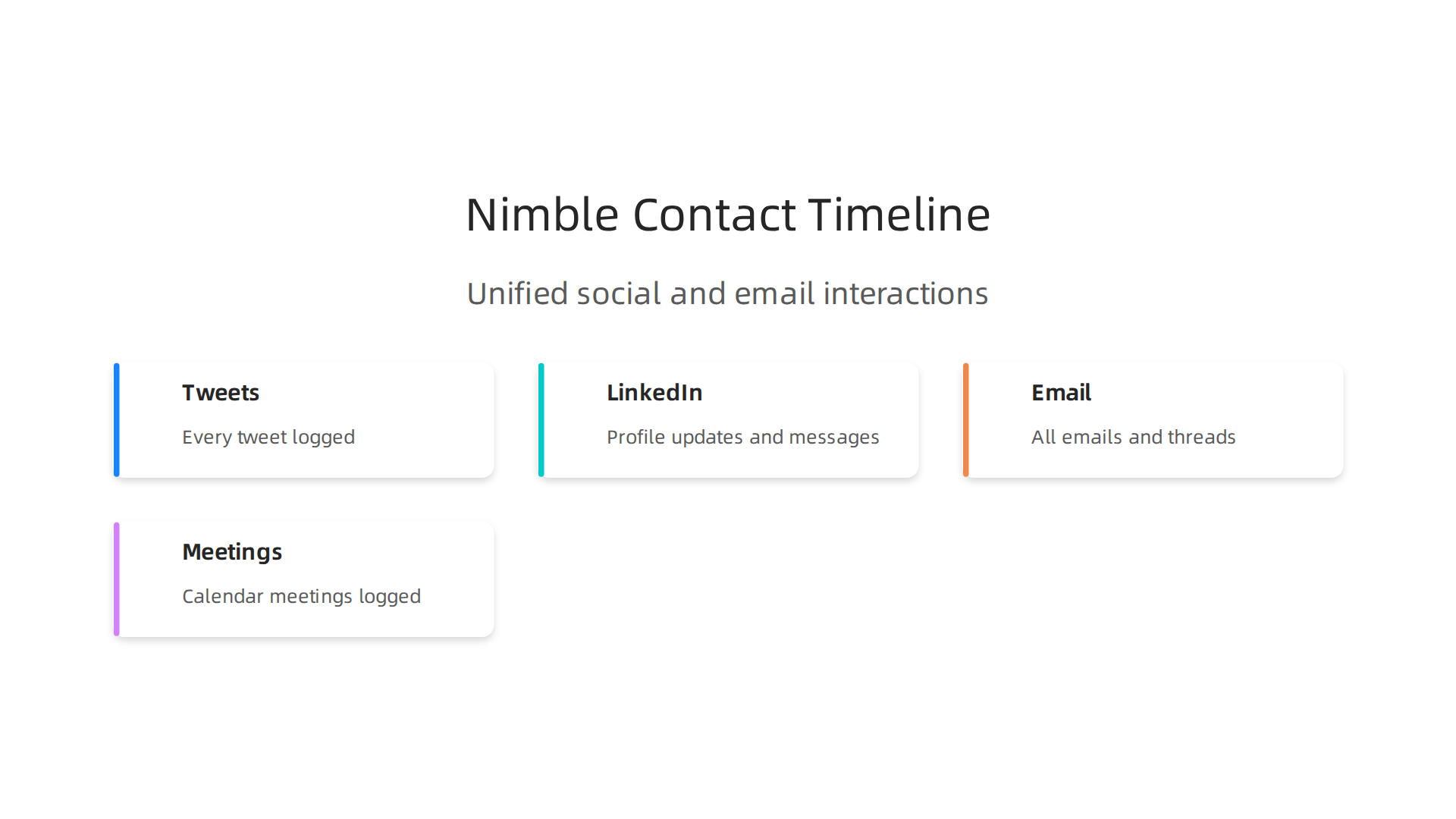
Imagine checking one dashboard that shows you every tweet, LinkedIn update, email, and meeting you’ve ever had with a prospect. That is exactly what Nimble does.
According to a 2026 review by TechRadar, Nimble “offers a unique blend of social media integration and contact enrichment,” making it a standout choice for salespeople who live on LinkedIn.
Key strengths
Nimble pulls social signals, email history, and calendar activity into a single contact timeline. This helps you see the full story of a relationship without bouncing between apps. Its auto-enrichment feature fills in missing details like job titles and company info automatically. As one detailed OnePageCRM review puts it, “The contact enrichment features are impressive,” giving you super detailed customer profiles with minimal effort.
Trade-offs
Here is the honest trade-off. Nimble is built for relationship management, not deep pipeline management. If you need to manage complex sales cycles with multiple stages, you will hit limits. A Breakcold review notes that “weak pipeline management for scaling teams” and social integrations that can feel outdated are real drawbacks. Think of Nimble more as a smart address book than a full sales engine.
Where it fits in the top CRM software list
Nimble is a strong pick if you are a solopreneur or small team that lives on LinkedIn and wants a complete view of every touchpoint. But if your sales process needs robust pipeline tracking or advanced automation, you may need to pair it with a different system. To explore all your options, check out our full guide on how to choose the best CRM software for sales growth.
10. Monday.com Sales CRM – Visual Project Management Meets CRM
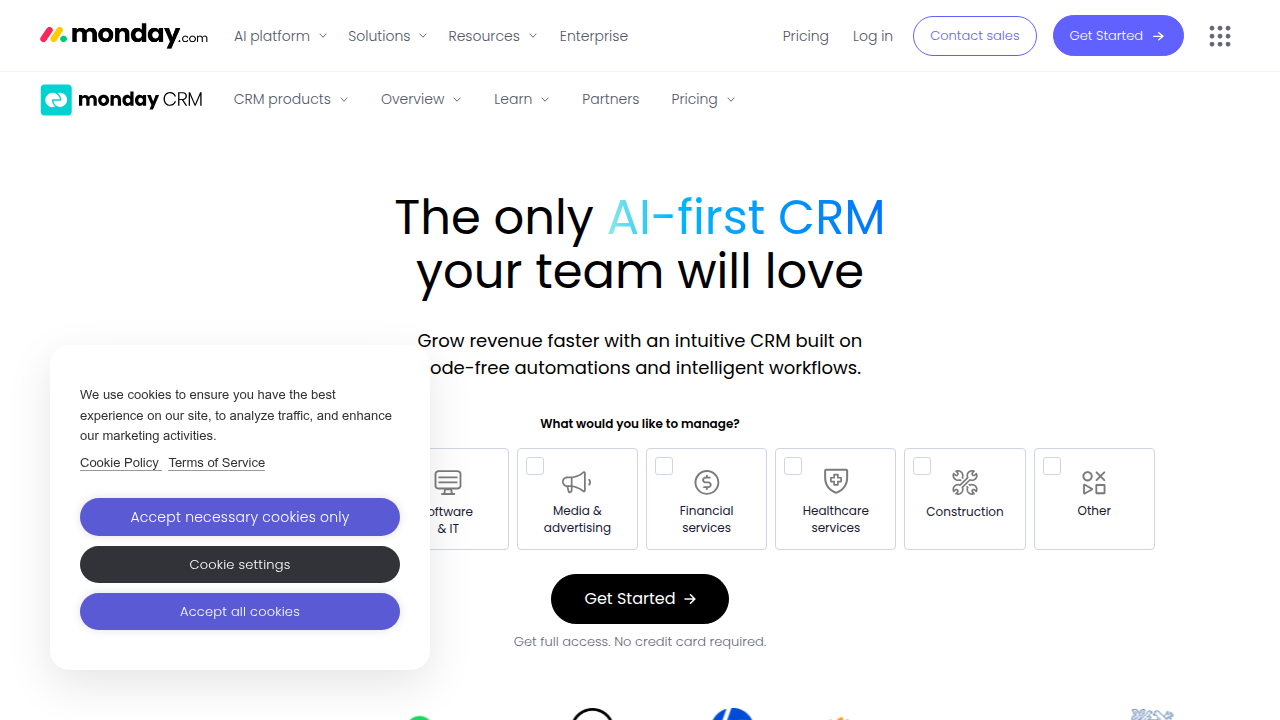
Let’s shift gears. The previous section showed how Nimble puts relationships first. But what if your team already relies on visual tools to stay organized? That is exactly where Monday.com Sales CRM shines. It takes the colorful board system that millions of teams already love for project management and layers CRM functionality right on top.
Key strengths
The biggest draw is the customizable visual workflows. You can track deals on Kanban boards, timeline views, or Gantt charts. This makes it easy to see where every deal stands without digging into complex menus. You also get automation recipes that handle repetitive tasks like sending follow-up emails or moving deals to the next stage. And if you run a service-based business, the built-in time-tracking integration is a huge plus.
Trade-offs
Here is the honest trade-off. Monday.com is not a pure-play sales CRM like Close CRM. Its sales-specific features, such as lead scoring and deep email sync, are less mature than dedicated platforms. It works best when you already have a structured sales process and just need a visual place to manage the workflow. If you are still building your sales foundation, our guide on soft skills training that boosts sales performance and ROI can help you strengthen your team’s core abilities.
Where it fits in the top CRM software list
Monday.com is the best choice for teams that want a CRM and project management tool in one. It earns a solid spot in our top 10 CRM software list for 2026. To see how it compares to systems like SAP CRM or more sales-focused platforms, check out our full guide on how to choose the best CRM software for sales growth.
Summary
This article reviews the top 10 CRM platforms for 2026 with a practical, sales-first focus: ease of use, automation, pipeline visibility, AI lead scoring, and fair pricing. It explains who each product suits—from enterprise powerhouses like Salesforce and Microsoft Dynamics 365 to pipeline-first tools like Pipedrive and outbound-focused Close—while calling out key trade-offs such as cost, learning curve, and integration limits. You’ll learn which CRMs work best for solo reps, small teams, and large organizations, how AI features (like lead scoring and forecasting) can boost conversions, and why pairing software with sales training and leadership coaching matters. The guide helps you match a CRM to your workflow, avoid common selection mistakes, and plan next steps for implementation and adoption.